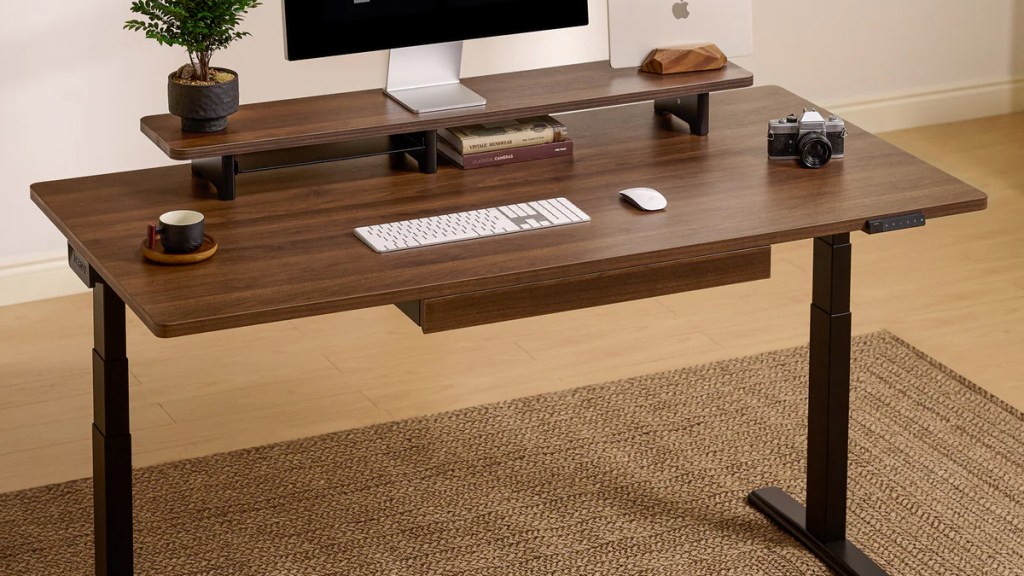
The Vernal Core3 standing desk immediately stands out for its inclusion of a “Test Report.” This report is from third-party testers who have assessed the Core3’s stability, lifting capacity, noise level, and other aspects. The results are all viewable by potential buyers, which is a pretty darn honest way of marketing a product. While I appreciate the transparency, I’ve, of course, put the Core3 to the test in my own office and with my own PC setup. After almost a month of use, it’s time for my review.
Standing desk, assemble!
Assembling the Core3 is simple enough. It gets delivered in three separate boxes, potentially by different couriers. Components are well-packaged within foam cutouts, minimizing movement during transit. The desktop package has reinforced corners, which I was especially happy to see, given the numerous damaged desktops I’ve received over the years.
Constructing the legs and frame is similar to other standing desks, and is not so tricky if you’ve done it before. I will say that having an extra pair of hands goes a long way, especially once construction is complete and you need to move the fairly heavy desk into its final position.
Select your height
Once set up and plugged in, users will want to select their height presets. I use one for sitting and one for standing. A third option is available, which could be useful for multiple users or for sitting differently.
Movement between heights is quick and silent enough, comparable to my Flexispot unit. I’ve never had any complaints with that, and the Vernal is just as silent and speedy.
At its maximum height, which is what I use as a 6’7″ person, I came away impressed with how sturdy the Core3 is. The higher these standing desks go, the more wobble becomes a factor. Happily, the Core3 never wobbled too much to cause motion sickness while typing up documents – like this review – which can sometimes be a problem.
Manage your cables
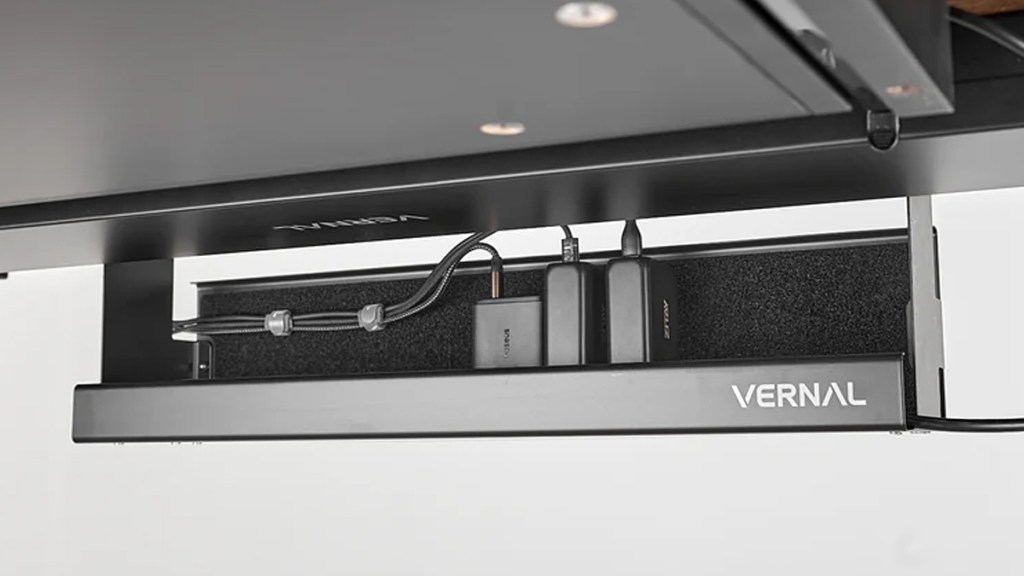
Vernal’s optional Cable Management Tray comes in handy for bundling up the many power cables for my PC, monitors, printer, and speakers. The other option is cable ties, but I can never get them to look clean. As for leaving them dangling, while it might work, it just looks like a disaster. I feel like standing desks demand a tidy environment, which the Vernal Cable Management Tray certainly helps with.
Other big feature highlights include the anti-collision system, which should help prevent anything from getting crushed when lowering the desk. Then there are the additional extras, which match the wooden finish. The Desk Shelf, Desk Drawer, File Cabinet, and Side Cabinet all stand out.
Wobble assessment
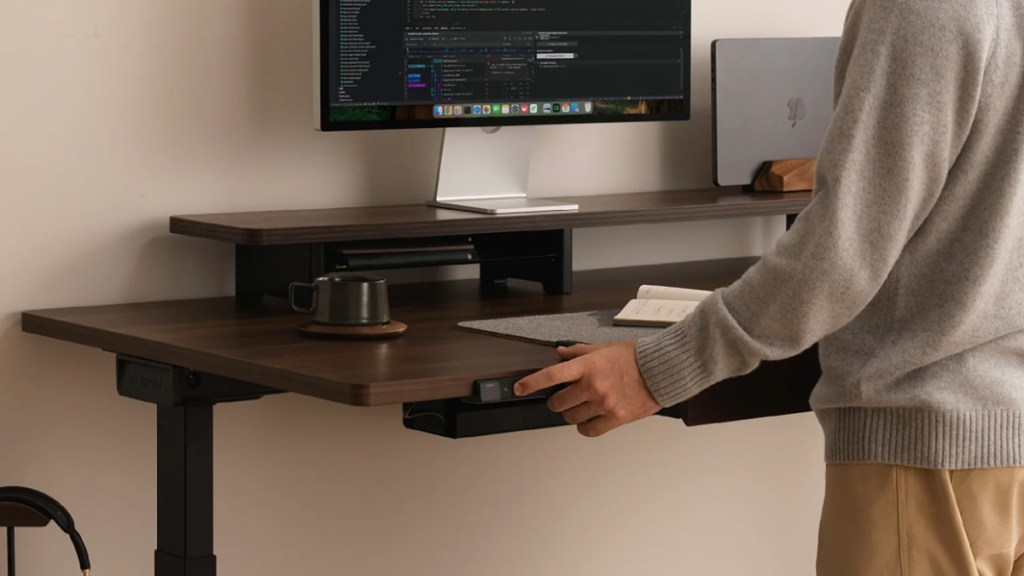
While my time with the Core3 has been mostly positive, and the amount of wobble seen at maximum height is on par with the best of the best from FlexiSpot, which is my daily driver, I wouldn’t say Vernal has pushed the envelope in stability.
I still think the amount of wobble is relatively minimal, and it’s comparable to competitors, but for all the shouting about a “Test Report,” I was expecting something truly significant and game-changing, but perhaps that’s my fault for having unrealistic expectations.
Disclosure: Review sample provided by Vernal.
Final Verdict
At $459.99 — though I’d also include the Cable Management Tray for an extra $49.99 — the Vernal Core3 standing desk is priced competitively for what it offers. It doesn’t break new ground, but it performs well across the board and feels dependable in daily use. While the much-touted test report may not translate into a dramatic real-world difference, it’s still a solid option that holds its own against the competition.
Positives and Negatives
-
Third-party test report adds transparency
-
Quick and quiet height adjustments
-
Minimal wobble at maximum height
-
Optional cable tray helps tidy setup
-
Competitively priced for features offered
-
Test report feels overhyped as stability doesn't break new ground