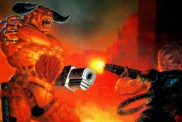
Cheat Codes
While playing, press ` (tilde key) to enter the console, then type: Invuln God Mode

GimmieGimmieGimmie All Weapons

NoClip - No Clipping Mode

NoTarget - Monster Targeting On/Off

Spectator - Fly Mode

ChaseCam - Chase Camera (5 Different Angles)

CyclePlayerClass - Cycle Through 4 Player Classes

NextArmor - Increase Armor and Health

PrevArmor - Decrease Armor

NextMonster - Go to Next Monster

PrevMonster - Go to Previous Monster

RestartLevel - Restart Current Level

CameraLock - Unknown Effect

Debug1 - Unknown Effect

Debug2 - Unknown Effect

Keep in mind some of these may not work when typed in the console. There is another more reliable way to enable them. In the PROFILES folder under the game''s install folder are the player configuration files. In whatever profile cheats are to be enabled, open the .cfg file for editing (example C:KISSPROFILESPLAYER.CFG). Find the line: "Developer" "0" and change it to: "Developer" "1" Also, remember that the game will reset this to "0" when exiting, so it will have to be changed often. Now, in the game, go into SETUP/KEYBOARD and scroll down to the bottom. There are two new sections titled "HUD TOGGLES" and "CHEATS". Any of these settings can now be bound to keys and used at any time in the game.

Star Citizen is an upcoming space trading and combat simulator video game for Microsoft Windows. Star Citizen will consist of two main components: first person space combat and trading in a massively multiplayer persistent universe and customizable private servers (known as Star Citizen), and a branching single-player game (known as Squadron 42). The game will also feature VR support.