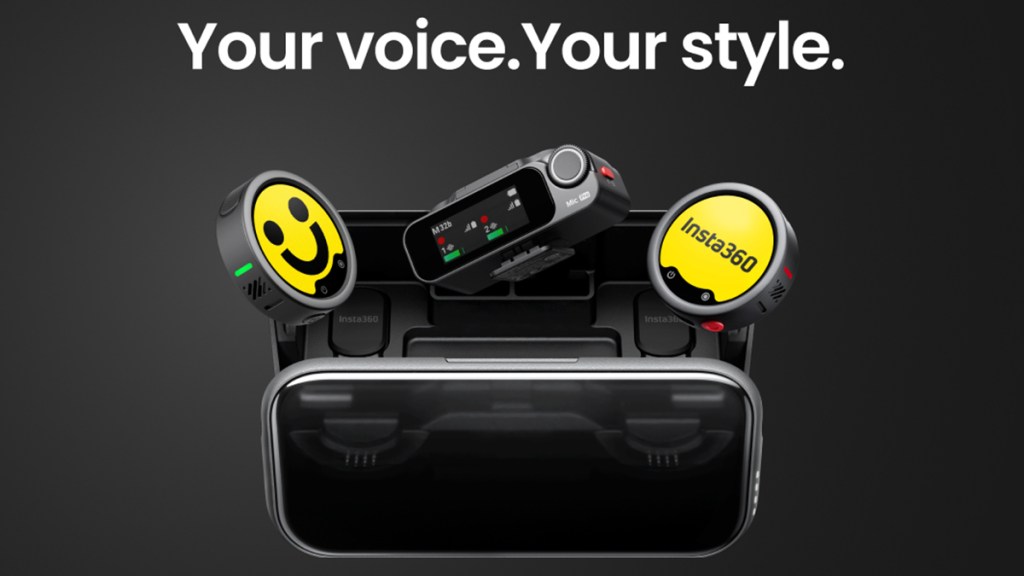
The Insta360 Mic Pro aims to stand out with its unconventional design. While most other wireless mics are designed to blend in, the Mic Pro aims to attract the eye with its unique customizable E-ink display. Beyond that, it boasts impressive specs and functionality which, on paper at least, could make it a top-tier choice. After using a two transmitter, one receiver setup to record videos using the Insta360 GO Ultra and iPhone 15 Pro, it’s time for my review.
Unexpected display tech
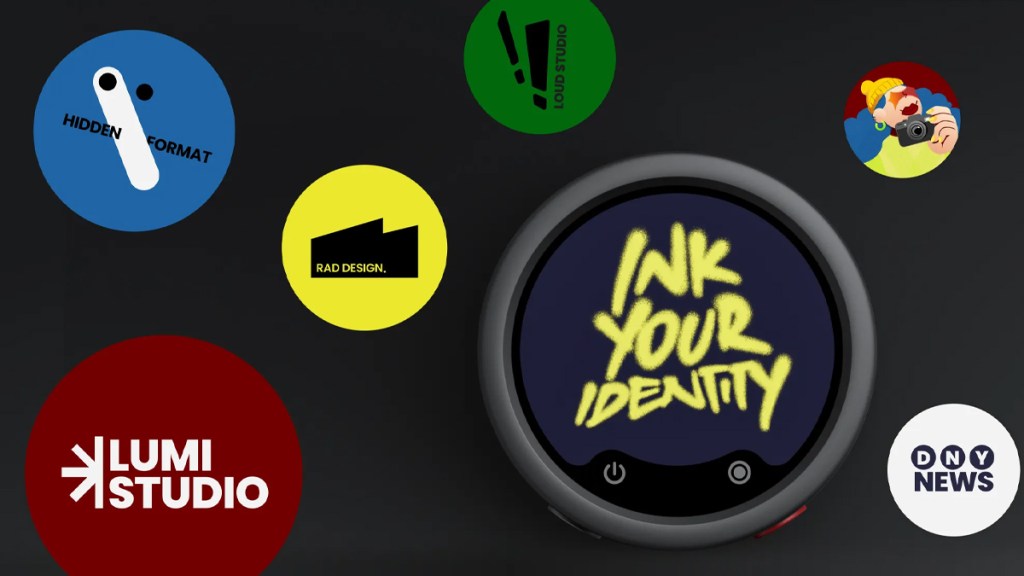
As mentioned in the intro, the Insta360 Mic Pro’s headline feature is the E-ink display. Users can select from a range of premade options or upload their own image. The point of the E-ink display is to add some extra flair to the video presentation. Having your business logo showing while you deliver a presentation ups the professional look. It’s also useful for differentiating between multiple transmitters. For example, I know my mic is the one with “6” on, while my wife’s is “7.”
Even when the mics are turned off, the E-ink screen remains “on” without sipping any power. That is the beauty of E-ink displays, as they only use battery life when they are refreshing. E-ink displays are also super visible in sunny conditions, which is great as wireless mics are often used outdoors.
How’s it sound?
Of course, how a microphone looks is only a small part of the conversation. Sound quality is ultimately what matters the most. The Mic Pro offers multiple pickup patterns, adjustable noise cancellation, tone control, 32-bit float, Safety Track, and 32 GB of internal storage. There’s also auto-gain control, though for my usage, which is just walking/jogging around while talking, this seems a bit overkill. I can simply monitor the levels onscreen, and Insta360 has made it very easy to quickly change gain settings on the fly.
Audio quality is certainly a strength of the Mic Pro. My preferred setup ended up being cardioid mode, noise cancellation on Weak/Strong (depending on wind), Bright tone, low-cut filter on, and clipping protection engaged. That gave me the best sound while jogging around with the mic attached to my hat. Strong noise cancellation was impressive in windy conditions, especially with the low-cut filter enabled. Super-directional sounded good too, but it felt more suited to holding the mic rather than wearing it while running.
I will say that I think Insta360’s newest cameras have superb built-in audio. The GO Ultra’s microphone sounds genuinely good, so the Mic Pro’s advantage is most obvious in wind, traffic, or when using two transmitters. This is where the Mic Pro could have perhaps saved the day, especially with its strong noise cancellation mode.
Multiple users supported

The other big advantage of the Mic Pro is the ability to combine transmitters. I attached one to my shirt and one to my wife’s. These both beamed our audio to the receiver plugged into the side of my GO Ultra. Both of us can be heard super clearly and over long distances away from the camera. It’s worth noting that only one Mic Pro can be connected to an Insta360 camera using Bluetooth. For two transmitters to be connected, the receiver will need to be plugged in.
While I think the battery case is designed really well, as there are slots for the various clips, magnets, and whatnot, there is no room for the windshields. If you leave them attached to the microphones, which I do as I’m always recording outside and while jogging/running, then you won’t be able to shut the battery case.
Pricing starts at $99.99 for a single transmitter, while the full two-transmitter kit I tested costs $329.99.
Disclosure: Review sample provided by Insta360.
Final Verdict
Insta360 has put together a very compelling wireless microphone. The E-ink display is a fun differentiator, but the real reason to buy this is the audio quality, flexible pickup modes, strong noise cancellation, internal recording, and up to 30 hours of rated total battery life with the case, depending on settings.
For my running videos, the GO Ultra’s built-in mic is already good enough in many situations. However, when the wind picks up, traffic gets loud, or I need two people recorded cleanly, the Mic Pro makes a lot more sense. It isn’t a must-have upgrade for every Insta360 user, but for creators who film outdoors and want more control over their audio, this is easy to recommend.
Positives and Negatives
-
Customizable E-ink display adds flair
-
Audio quality is good
-
Noise cancellation handles wind very well
-
Internal recording adds useful flexibility
-
Battery case is designed very well
-
Though, windshields prevent case from closing
-
Insta360's own cameras already have excellent audio quality
-
Can get similar audio quality for cheaper